10 Best Software Supply Chain Security Tools for 2026
JFrog Software Supply Chain Platform ranks first for 2026 at 8.06 out of 10, because it blocks malicious packages before download and signs what it ships. ReversingLabs Spectra Assure (8.03) suits companies that mostly buy software, and Aikido Security (7.67) suits small development teams. Scores combine live Gartner Peer Insights ratings with five documented criteria.
Table of Contents
Quick Picks
- Best overall: JFrog Software Supply Chain Platform
- Best for companies that buy more software than they write: ReversingLabs Spectra Assure
- Best for small development teams: Aikido Security
- Best if your code already lives on GitHub: GitHub Advanced Security
- Best for collecting SBOMs from vendors: Manifest
Choosing between software supply chain security tools gets a lot simpler once one question is settled. Does your company write software, or does it mostly buy it?
This category was built by developers, for developers. The risk isn't limited to them, though. IBM's 2026 Cost of a Data Breach Report lists supply chain compromise as the second most common way attackers got in, with an average cost of $4.96M and 258 days to identify and contain. Sonatype counted more than 454,600 new malicious open source packages in 2025 alone.
A 40-developer SaaS team needs something watching every package its engineers pull in. A 300-person manufacturer that writes almost no code needs something that checks the installers, updates, and vendor components it buys instead. Same threat. Different door.
This ranking scores 10 tools for companies with 20 to 1000 users, using live review data and a scoring model that's published in full below. If the broader picture of software supply chain risk is still fuzzy, that guide is the better starting point.
How the Confidence Score Works
Each tool earned a Confidence Score out of 10 from six weighted criteria, led by Gartner Peer Insights reviews (25%), fit for companies with 20 to 1000 users (20%), and coverage of software a company buys (20%).
Rankings are produced using a Confidence Score methodology, six independently researched criteria applied the same way to every tool. No vendor paid for placement. No vendor submitted its own data.
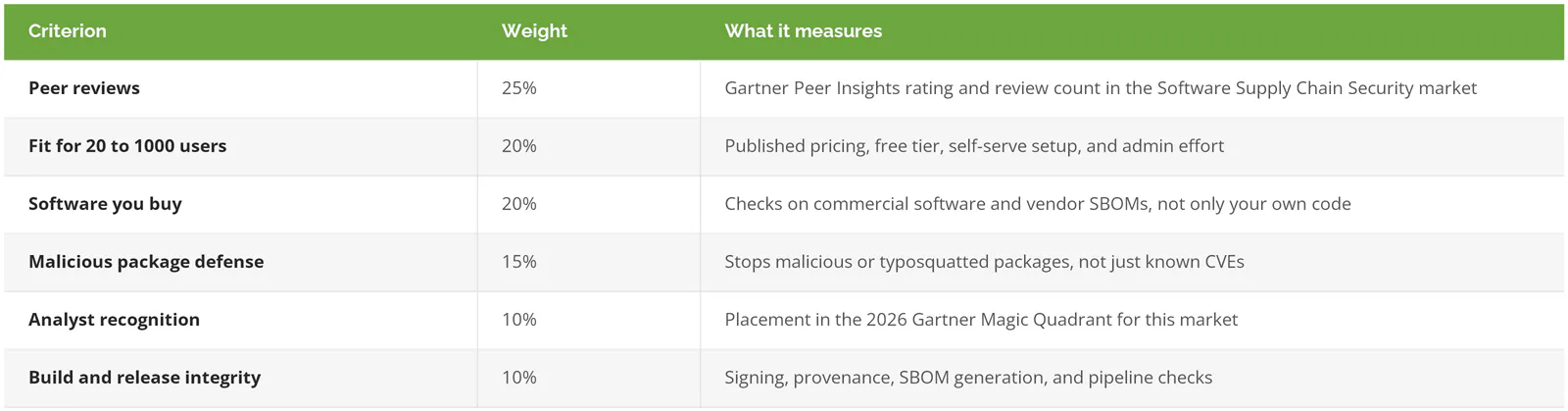
Peer reviews (25%). Ratings come from Gartner Peer Insights, and only from reviews filed under its Software Supply Chain Security market. That filter matters more than it sounds. GitHub carries 831 reviews across every Gartner market, and the large majority sit in markets like DevOps platforms. Only 34 are filed under supply chain security, so 34 is the number that counts here. Rating drives 60% of this sub-score and review volume drives 40%, on a sliding scale that rewards the first dozen reviews far more than the next hundred.
Fit for 20 to 1000 users (20%). Can a company this size find a price, start a trial, and run the thing without a dedicated AppSec team? Often, no. Published pricing, a free tier, self-serve setup, and light administration all score. So does the absence of warnings about smaller buyers.
Software you buy (20%). Plenty of companies write very little code but install a lot of it. This criterion rewards two very different jobs. One is reading a vendor's SBOM (a software bill of materials, basically an ingredients list for an application) and watching it for new vulnerabilities. The other is binary analysis, which inspects a finished installer or update for malware and tampering without needing the source code.
Malicious package defense (15%). Known vulnerabilities are only part of the problem. Attackers publish poisoned packages with names one letter off from popular ones (typosquatting), or with the same name as a company's internal package (dependency confusion). Tools that block these before download score highest. Tools that only raise an alert afterward score lower.
Analyst recognition (10%). Gartner published its first Magic Quadrant for Software Supply Chain Security on June 17, 2026, evaluating 18 vendors. The full report sits behind a paywall, so only placements the vendors announced publicly are counted. Leaders score 10 and Visionaries score 8. Tools without a confirmed placement score 4. That doesn't mean they were left out. It means no placement was announced.
Build and release integrity (10%). This covers signing what gets released, recording provenance (a verifiable record of where and how a file was built), generating SBOMs, and catching secrets like passwords before they land in code.
One judgment call decides first place. Take out the analyst factor and reweight the rest, and Aikido moves to first at 8.08, Spectra Assure stays second at 8.03, and JFrog drops to third at 7.84. The factor stays in because Gartner's evaluation weighs things like market responsiveness and product execution, which a product page can't show. Readers who discount analyst reports should treat the top three as a near tie.
Why publish all of this? Because the other ranked lists for this search tend to come from vendors in the category. Arnica's list puts Arnica first, and Chainguard's buyer's guide features Chainguard in three of its seven categories. Neither shows a score. That's not dishonest. It just isn't a ranking a buyer can check.
Live data scraped September 14, 2026.
Gartner, Peer Insights, and Magic Quadrant are trademarks of Gartner, Inc. Gartner does not endorse any vendor or product in this ranking.
Software Supply Chain Security Tools Compared
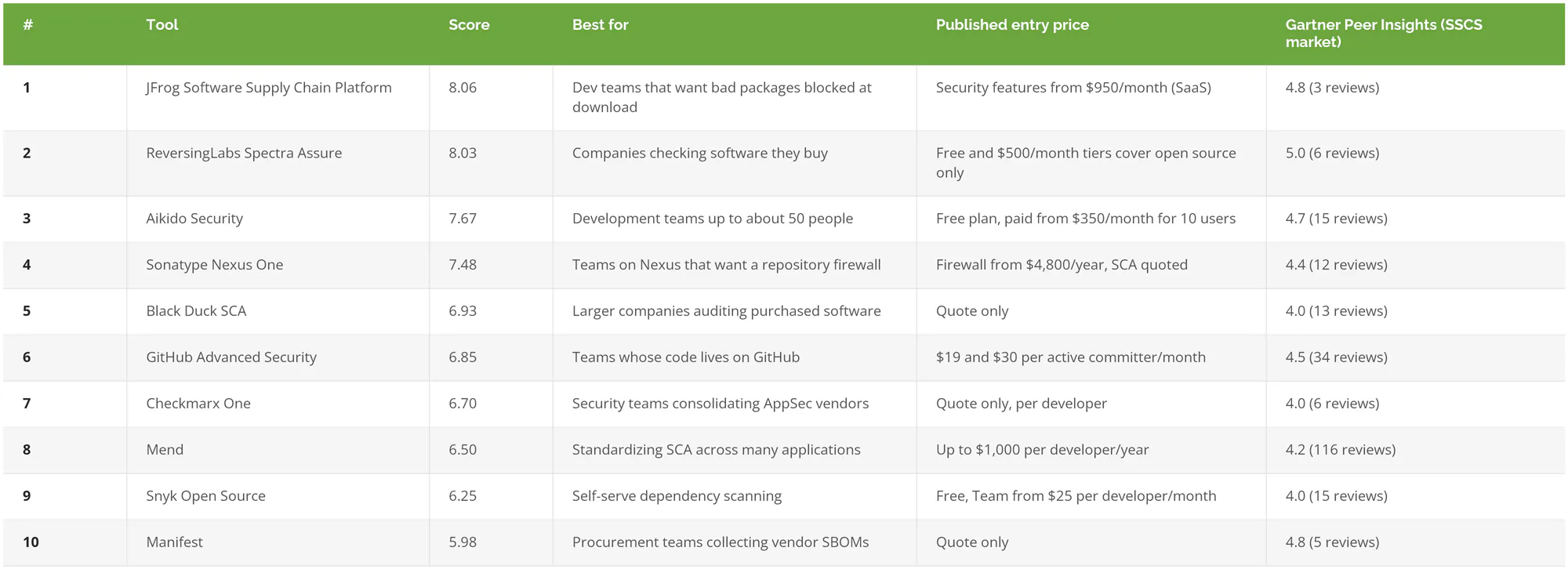
The 10 Best Software Supply Chain Security Tools, Ranked
1. JFrog Software Supply Chain Platform, for Stopping Bad Packages at the Download
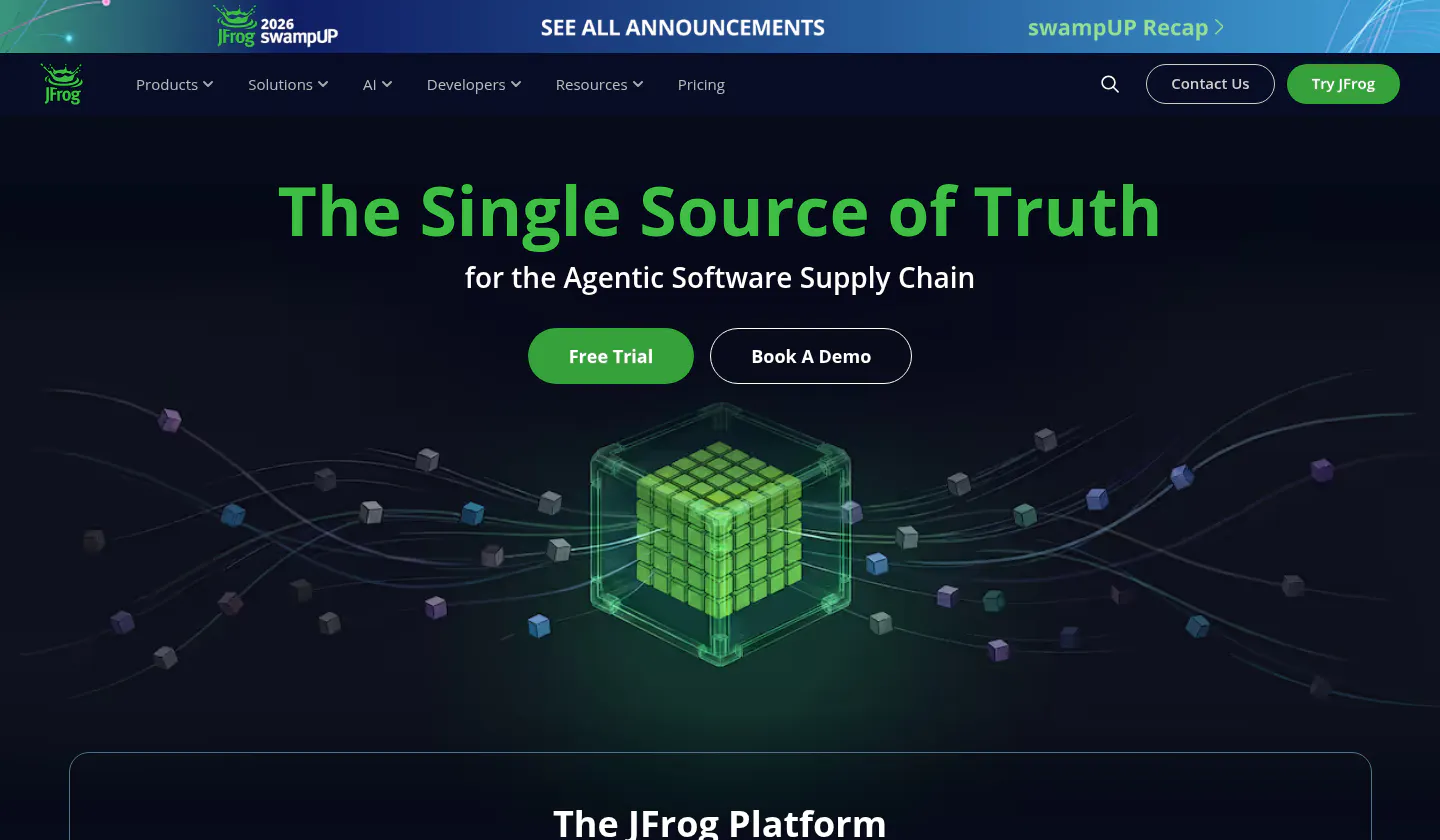
JFrog treats the package request itself as the checkpoint, which is a different idea from scanning code after it's already arrived.
Picture a developer installing a library with two letters swapped in the name. A scanner that runs later finds it in tomorrow's report. A proxy in front of the registry refuses the download while the developer is still waiting on it. The package is identical. The outcome isn't.
Confidence Score: 8.06/10
Key strengths
- JFrog Curation checks each package request against a catalog of more than 15 million components and blocks typosquats and dependency confusion attempts before anything downloads. JFrog claims 99% of malicious components get stopped at that point.
- Its research pipeline publishes its own speed. Per JFrog's own documentation, automated scoring flags a new malicious package in roughly 2 to 4 hours, and borderline cases go to human researchers for 1 to 3 days.
- Signed evidence. Builds, packages, and release bundles can carry signed attestations in the in-toto and SLSA formats (open standards for recording how software was built), so someone downstream can verify what was released and how.
- It imports SBOMs in both standard formats, CycloneDX and SPDX, scans them automatically, and can take in VEX data (a vendor's statement about whether a vulnerability actually affects its product) with the Advanced Security add-on.
- A Leader in Gartner's 2026 Magic Quadrant, which JFrog says placed it highest of any vendor for ability to execute.
The tradeoff. Pricing is the hurdle. None of the security features show up in the $150-a-month Pro plan. They start with Enterprise X, listed at $950 a month on the SaaS version, and they assume JFrog Artifactory, its artifact repository (the central store for the packages a company builds and uses), is where packages live. Self-managed installs need Artifactory 7 first, plus a dedicated server for the scanner, and nothing gets scanned until someone tells it which repositories to index. For a company without a build pipeline, most of this platform has nothing to do.
Best for: development teams that already run, or are ready to run, a central artifact repository.
Not ideal for: companies that write little or no code, or a five-person team that just wants a scanner on its GitHub repos.
Why it ranks #1: JFrog was the only tool that scored at or near the top on blocking, signing, and analyst recognition at the same time. Its peer rating is strong but rests on 3 reviews, and fit held it back. First place came from breadth, not a single standout.
2. ReversingLabs Spectra Assure, for Checking Software Before It's Installed
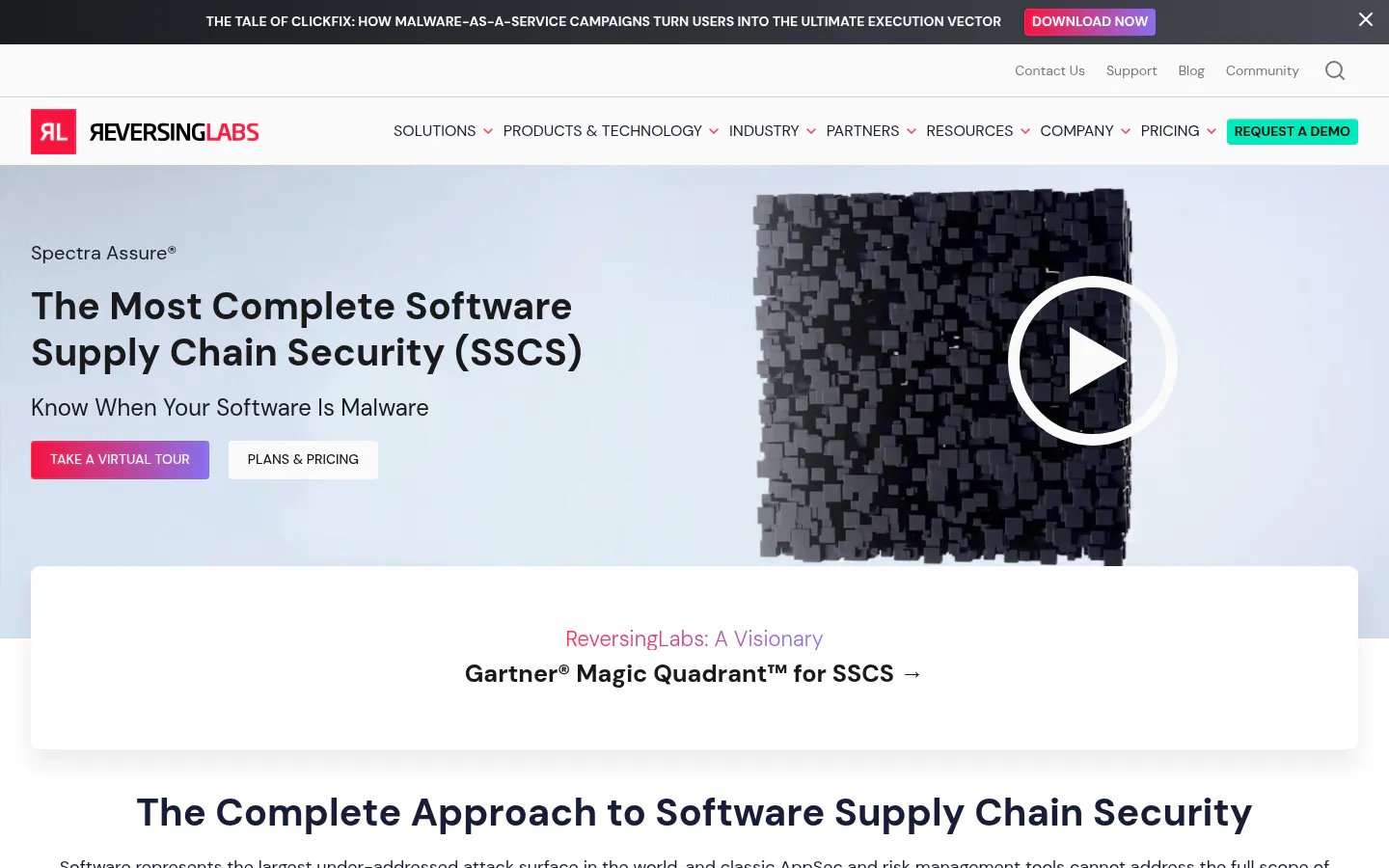
If the software you worry about is the software you bought, this is the strongest malware and tampering check on the list.
Confidence Score: 8.03/10
Spectra Assure analyzes a program in the form it's published, no source code required. Hand it an installer, a firmware image, or a vendor's update, and it takes the file apart looking for malware, tampering, exposed secrets, and suspicious behavior. The paid tiers accept files up to 10GB on Essentials and 50GB on Enterprise.
Key strengths
- 16 proprietary malware detection engines behind the analysis, backed by a threat database ReversingLabs says tracks over 422 billion files.
- Version-to-version comparison that flags changes matching past supply chain attacks. That's the exact pattern of a poisoned update.
- The highest peer rating in the ranking, 5.0 across 6 reviews in the Software Supply Chain Security market.
- A named Visionary in Gartner's 2026 Magic Quadrant.
- "The ideal case is that you're running ReversingLabs on everything prior to purchase," SolarWinds CISO Tim Brown said in a 2025 ReversingLabs release.
Worth knowing before a demo call. The free Community tier and the $500-a-month Community+ tier cover open source packages only. Scanning commercial and proprietary software, the part a buyer actually wants, starts at the Essentials tier, which has no published price. Its documentation also doesn't describe importing SBOMs from vendors, so companies collecting those will want a second tool.
Buyers tend to notice the workflow first. ReversingLabs pitches self-service software requests, where an employee submits the application they want, the analysis runs before anyone installs it, and security staff only step in for the risky cases. Its own 2026 supply chain report counted a 73% jump in malicious open source package detections in 2025.
Best for: IT and security teams at companies that install far more software than they build, including manufacturers vetting line-of-business applications and firmware.
Not ideal for: developers who mainly need dependency scanning inside pull requests (proposed code changes).
Why it ranks #2: It lost first place by 0.03 points, on analyst placement and build integrity. For a company that mostly buys its software, it's arguably a better first purchase than JFrog.
3. Aikido Security, for Small Dev Teams That Want One Bill
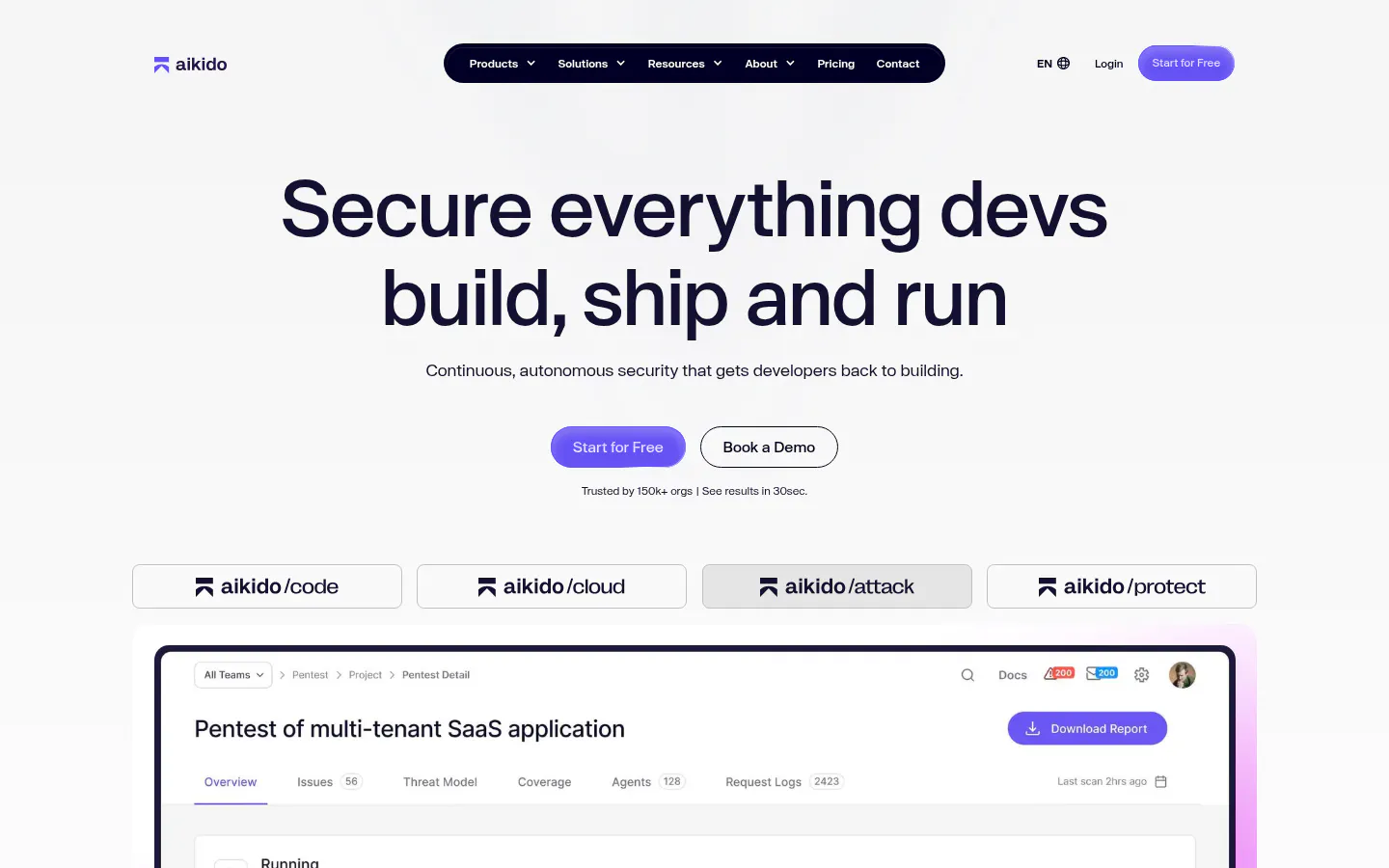
12 engineers can sign up for Aikido on a Tuesday afternoon, at a published price, with no sales call.
Confidence Score: 7.67/10
Key strengths
- Prices are public. There's a free Developer plan, and paid plans start at $350 a month for 10 users on Basic. No sales call needed.
- Safe Chain, a free open source tool, sits in front of npm, pip, yarn, and similar package managers and blocks a malicious package before it reaches the machine. By default it also refuses packages less than 48 hours old, which gives registries and researchers time to catch and pull a short-lived malicious release.
- Vendor SBOMs can be uploaded and monitored alongside a company's own dependencies.
- It connects to GitHub, GitLab, Bitbucket, and Azure DevOps, including their self-hosted versions.
Limitations
- Malware detection inside the main platform needs the Pro plan or higher, which is $700 a month for 10 users.
- Vendor SBOM upload runs through the API only. There's no upload button for a procurement person.
- It's a young company, founded in 2022, though a $60M Series B in January 2026 makes near-term stability less of a worry.
Best for: software teams of up to about 50 developers without a dedicated application security hire.
Not ideal for: companies that need to analyze compiled commercial software.
Why it ranks #3: On fit, Aikido beat both tools above it by a wide margin, and its reviews outscored JFrog's. Aikido hasn't announced a Magic Quadrant placement, and that single factor is the gap between third and first.
4. Sonatype Nexus One, for a Firewall in Front of the Repository
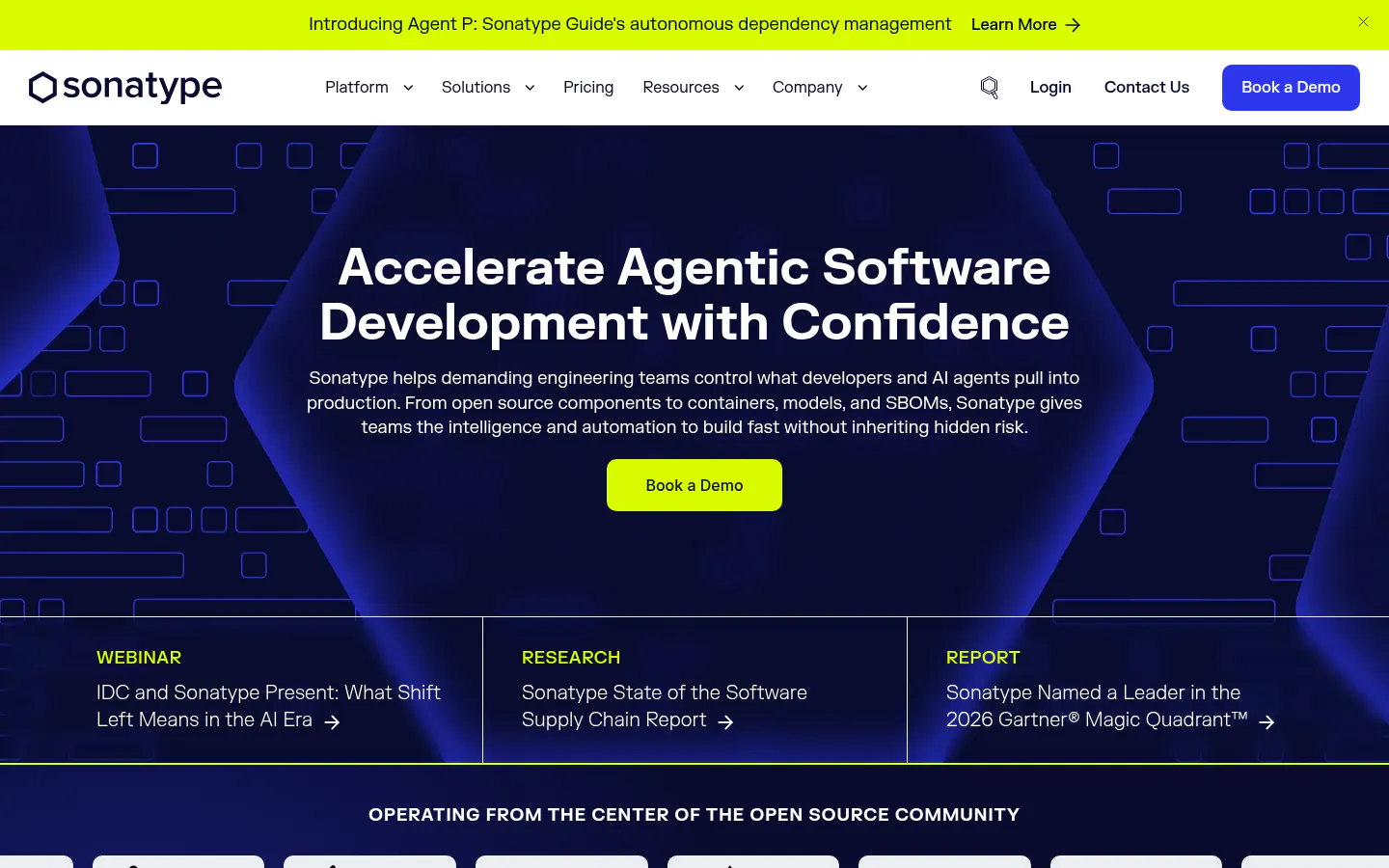
Sonatype has run Maven Central, the central public repository for Java components, since 2008. That puts it close to the open source malware problem.
Confidence Score: 7.48/10
Its Repository Firewall quarantines suspicious or malicious components before they enter a company's repositories. SBOM Manager imports CycloneDX and SPDX files from any source, keeps checking them for new vulnerabilities, and tracks VEX status. Gartner named Sonatype a Leader in 2026.
Pricing tells an in-between story. Repository Firewall Cloud Pro is published at $4,800 a year, and the Nexus Repository Community Edition is free up to 40,000 components. The composition analysis (scanning the open source components inside an application) and SBOM products aren't priced publicly, and Sonatype's own Gartner announcement describes the platform as suited to the Fortune 500 and regulated industries.
Build integrity is the soft spot. The documentation reviewed centers on SBOM generation and pipeline integration rather than signing or provenance.
Two things make Sonatype easy to take seriously anyway. Its 2026 research counted more than 800 malicious packages tied to the Lazarus group in 2025, 97% of them on npm. And ownership has been steady since Vista Equity Partners took a majority stake in 2019. That kind of stability counts for something in a category this young.
Best for: teams already running Nexus Repository, Sonatype's artifact repository, that want malicious package blocking without switching platforms.
Not ideal for: a buyer who wants one published price for the whole stack.
Why it ranks #4: A strong firewall and genuine buyer-side SBOM handling, held back by partial pricing and a thinner build integrity story.
5. Black Duck SCA, for Enterprises Auditing What They Procure
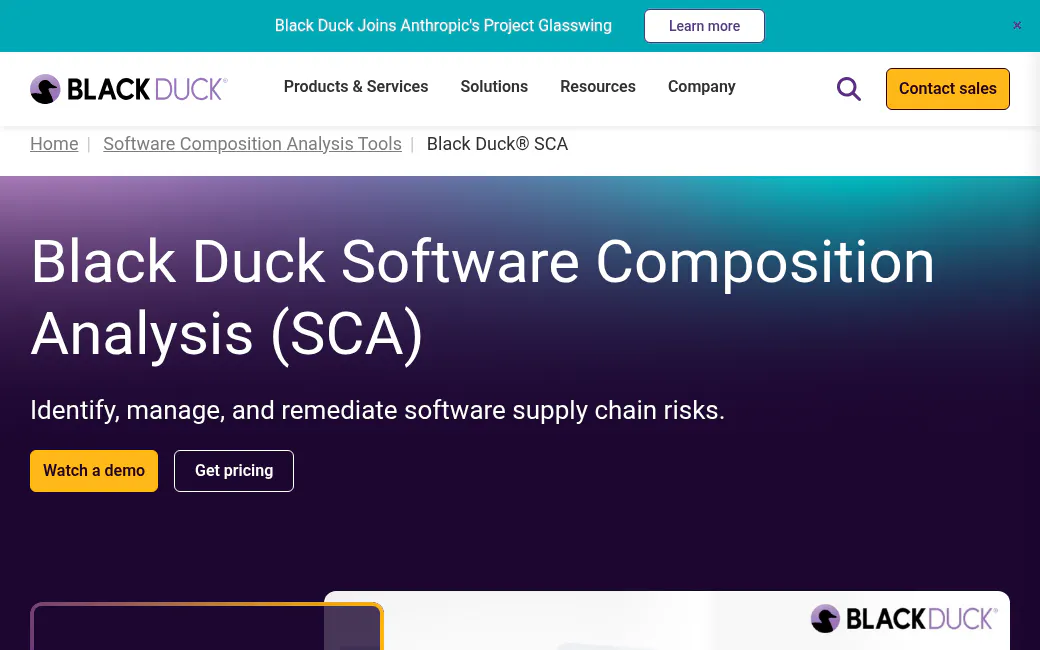
Black Duck tied for the best score on checking software a company buys, and posted the worst score for fitting a smaller company.
Confidence Score: 6.93/10
Key strengths
- Black Duck Binary Analysis examines executables, firmware, and containers, and names "packaged software you procure from independent software vendors" as a target. No source code needed.
- It imports third-party SBOMs, monitors them for new risk, and exports VEX reports.
- Its research arm publishes the annual OSSRA report. The 2026 edition found open source in 98% of the 947 codebases audited, and average vulnerabilities per codebase up 107%.
- A 2026 Magic Quadrant Leader.
Limitations
- There's no public price, only "Get pricing."
- Black Duck's own blog quotes Gartner saying the platform "focuses on large enterprise use cases and contexts, which can preclude smaller organizations."
- Malicious packages get detected and can block a build, but the documentation reviewed doesn't describe blocking them at download.
Black Duck is also a relatively new standalone company. Clearlake Capital and Francisco Partners bought it from Synopsys in October 2024.
Best for: companies near the top of the 1000-user range, including aerospace and automotive suppliers, that need to audit purchased software and firmware.
Not ideal for: anyone who wants to start without a sales cycle.
Why it ranks #5: Capability alone would put Black Duck higher. The ranking weighs whether a 200-person company can realistically buy and run it.
6. GitHub Advanced Security, for Teams Already Living in GitHub
Code already on GitHub? Then this is the least disruptive option on the list. It's also the narrowest.
Confidence Score: 6.85/10
Pricing is refreshingly plain. Secret Protection costs $19 and Code Security $30 per active committer per month, on top of a GitHub Team or Enterprise plan. Push protection stops passwords and keys from being committed. Artifact attestations use Sigstore, an open signing service, to record build provenance, though GitHub is careful to say they're "not a guarantee that an artifact is secure." Private repositories need Enterprise Cloud for attestations.
Malware coverage arrived this year. Dependabot started flagging malicious npm packages in March 2026, then pulled in the OpenSSF malicious packages feed (an industry-maintained list) across more ecosystems in July. Those are alerts, not a download block. Dependency review can stop a pull request from merging when a new dependency fails the check, though private repositories need Code Security for that.
Where it falls short is the buy side. GitHub doesn't document a way to track a vendor's SBOM on its own, and the documentation reviewed shows no binary analysis.
Best for: teams of any size whose repositories and pipelines already live on GitHub.
Not ideal for: a company checking the software it purchases.
Why it ranks #6: It had the second-best peer review score and one of the easiest buying experiences, and almost nothing for purchased software.
7. Checkmarx One, for AppSec Programs Buying One Platform
Checkmarx sells supply chain security as modules inside a much bigger application security platform, and prices them one proposal at a time.
Confidence Score: 6.70/10
Blocking is where Checkmarx shines. The company says it can block suspicious packages before they're installed or pushed to a repository, and its identification API can stop them before download. Its research team, Checkmarx Zero, feeds that detection. SBOM scanning has a twist. A company can run a composition scan on an SBOM file instead of handing over source code, though that only works on manually created projects.
Where it slips is fit. Pricing is quote-only, per developer, with supply chain features sold as add-ons. Checkmarx says 60% of the Fortune 100 are customers, and the product reflects that audience. Hellman & Friedman has owned the company since 2020.
Best for: companies with a security team already consolidating code scanning, secrets, and containers under one vendor.
Not ideal for: a first security tool at a company with a small engineering group.
Why it ranks #7: Checkmarx blocks as well as anyone here, but quote-only pricing and a modest peer rating cost it ground.
8. Mend, for Standardizing Dependency Scanning Across Many Apps
Mend, formerly WhiteSource, has the deepest review base in this market by far, at 116 Gartner reviews.
Confidence Score: 6.50/10
Mend flags typosquats, dependency confusion, and protestware (packages sabotaged by their own maintainers) in npm, PyPI, and RubyGems, and its researchers are active in the community. In May 2026, Mend flagged more than 120 malicious packages newly published to RubyGems during a wider attack. One detail stands out. A Mend architect who sits on the RubyGems security team removed the first batch of those malicious gems. Mend also gives away Renovate Community, a free bot that keeps dependencies updated. Pricing is partly visible. Mend AppSec is listed at up to $1,000 per developer per year, which still means a sales conversation.
On the buy side, Mend imports third-party SBOMs but, per its own documentation, ignores any VEX data inside them and can't decompile executables. No Magic Quadrant placement has been announced.
Best for: larger development organizations standardizing composition analysis across many applications.
Not ideal for: buyer-side teams or anyone who wants to start self-serve.
Why it ranks #8: Plenty of reviews and good malicious package detection, but less for purchased software and a sales-led start.
9. Snyk Open Source, for Self-Serve Dependency Scanning
Snyk is one of the easiest paid tools on this list to try. Its supply chain features are some of the hardest to reach.
Confidence Score: 6.25/10
Snyk's plans page is transparent. There's a free tier, Team starts at $25 per contributing developer per month, and Ignite, for organizations under 50 developers, starts at $1,260 per developer per year. Snyk's researchers label malicious packages in its database and identified more than 3,600 of them in 2024, and a pull request check can fail when one shows up.
The catch is packaging. SBOM testing and SBOM generation are both Enterprise-only features. Snyk also documents that malicious package matching doesn't consider where a package came from, which can produce false positives for internal packages that share a public name. Reachability analysis, which checks whether a vulnerable function is actually called, is generally available only for Java, JavaScript, TypeScript, and Python.
Best for: developers who want to scan dependencies this week without a procurement process.
Not ideal for: companies that need SBOM workflows without paying for Enterprise.
Why it ranks #9: Excellent entry experience, with the buyer-side and SBOM features locked behind the top tier.
10. Manifest, for Collecting SBOMs From Vendors
Manifest is built for the person in procurement or third-party risk who has to ask a vendor for an SBOM and then do something with it.
Confidence Score: 5.98/10
No tool here does that job better. A Request SBOMs feature emails a vendor a secure, one-time upload link, and whatever they send lands as a tracked third-party asset. It accepts CycloneDX and SPDX files and VEX documents, and can analyze a compiled .exe or .msi when no SBOM exists. Manifest's own documentation admits that binary analysis "isn't a full substitute for source code scanning." Its March 2026 report found that 60% of organizations generate SBOMs and more than half aren't actually consuming or managing them. That gap is the product's whole reason to exist.
So why last? Three reasons. The documentation reviewed doesn't describe malware or malicious package detection, pricing isn't published, and there's no announced Magic Quadrant placement. Manifest is also early-stage, with about $23M raised and a CEO change in November 2025. Its FedRAMP High authorization (the top tier of US government cloud security approval) through Palantir's FedStart program, announced in January 2025, explains its footing with federal buyers.
Best for: third-party risk and procurement teams with a real SBOM collection mandate, common in industries Manifest targets like automotive, defense, and medical devices.
Not ideal for: a company that needs malware detection from its only supply chain tool.
Why it ranks #10: It tied Black Duck for the best buyer-side coverage in the ranking, and had the thinnest threat defense.
How to Choose a Software Supply Chain Security Tool
Start with where your software comes from. Companies that mostly buy software need binary analysis and vendor SBOM tracking. Companies that write it need package blocking and dependency scanning. Plenty of companies with 20 to 1000 users need a little of both.
If almost nobody at the company writes code, the developer tools on this list have little to scan. Look at Spectra Assure first, then Manifest if vendors are already sending SBOMs, and Black Duck if the budget and headcount sit near the top of the range. SBOM tools only help once vendors actually send the files, so ask for them during procurement, not after. Pair the tool with a process. A third-party risk management program decides which vendors get checked and what happens when a check fails, and no scanner makes those calls. Manufacturers already doing vendor risk management for their supply chains can fold software checks into the same review.
If there's a small development team, say under 20 engineers, the question is mostly where the code lives. On GitHub, GitHub Advanced Security adds the least friction. That's the easy case. Anywhere else, or when malicious package blocking matters more than GitHub integration, Aikido is the stronger pick at a published price.
If there's a real build pipeline and an artifact repository, JFrog and Sonatype are the natural fits. Teams already on Artifactory should look at JFrog. Teams already on Nexus should look at Sonatype. Switching repositories just to get a scanner is rarely worth the migration. Repositories hold years of build history, access rules, and pipeline wiring, and moving all of that is a project in its own right.
If a security team is consolidating vendors, Checkmarx, Black Duck, and Mend all sell broader application security platforms with supply chain modules inside. Ask each one to price only the modules the team will actually use. Bundles grow quietly.
What the First Year Actually Costs
Published prices make a rough comparison possible for one common setup, a team of 10 developers. The figures use list prices from each vendor's pricing page on September 14, 2026, before discounts, taxes, or add-ons.
- Snyk Team, at $25 per developer per month, comes to about $3,000 a year.
- Aikido Basic is $350 a month for 10 users, or $4,200 a year. Pro, which adds malware detection, runs $8,400.
- Sonatype Repository Firewall Cloud Pro starts at $4,800 a year, and that covers the firewall only.
- GitHub Code Security plus Secret Protection is $49 per active committer per month, about $5,880 a year for 10 committers, on top of a GitHub Team or Enterprise plan.
- ReversingLabs Community+ is $6,000 a year, for open source packages only.
- JFrog Enterprise X starts at $11,400 a year on SaaS.
Mend's ceiling of $1,000 per developer per year would put the same team at up to $10,000. Black Duck, Checkmarx, Manifest, and the commercial tiers of Spectra Assure all need a quote.
Those gaps look wide. They look a lot narrower next to the $4.96M average cost of a breach that started with a supply chain compromise.
Whichever column a company falls into, four questions separate a good fit from a bad one.
- Does it block a malicious package before download, or only report it afterward?
- Can it read an SBOM a vendor sends, and keep watching it after the first scan?
- Which of the features in the demo are in the tier being quoted?
- Who at the company will actually read the alerts?
That last one sinks more deployments than any missing feature. A tool that flags 400 issues on day one needs someone who understands vulnerability management well enough to decide which 12 matter.
The security tools are part of the supply chain too. In March 2026, attackers used stolen credentials to publish a malicious release of Trivy, one of the most widely used open source scanners. They also swapped 76 of its 77 GitHub Action versions for code that stole cloud credentials and SSH keys, according to the GitHub advisory. GitHub rated it critical. Free tools are fine. Pinning versions and watching the scanners' own updates aren't optional.
Some companies would rather have this run as part of a broader security program than bought as one more license. Managed cybersecurity services can own the monitoring and the alert triage.
Where the Ranking Lands
JFrog takes first because it blocks bad packages at the request and signs what it releases, the two jobs that matter most once a company builds software at any scale. It's also the tool most likely to be more platform than a small team needs.
Companies that mostly buy their software should look hard at ReversingLabs Spectra Assure, which finished 0.03 points behind and scored highest of the buyer-side tools. Small development teams will likely get more from Aikido for less money.
Not sure which side of that line your environment sits on? Speak to a supply chain security expert before signing a multi-year contract.