IT Support for Creative and Media Companies in West LA: What Good Looks Like
Good IT support for creative and media companies in West LA handles storage and transfer at RAW footage sizes, manages Macs, shuts off freelancer access on the last day, and keeps security tight enough to survive a studio's vendor review.
Table of Contents
It's 4:40 on a Thursday. The cut is due to the network by 9 a.m. Friday, the shared storage box in the closet is 96% full, and someone just noticed that a freelance editor from two projects ago still has a working login to the review platform. Nobody did anything wrong, exactly. The shop just grew faster than anyone's IT plan. Classic Thursday.
That's the normal state of things at a lot of agencies, post houses, and production companies between Santa Monica and Culver City. Office IT support doesn't fix it, because office IT was never built for it. The question worth asking before you sign with anyone offering managed IT services in Los Angeles is simple. Have they ever kept an edit bay running?
Some of them have. Plenty haven't.
Why doesn't standard office IT support work for a creative shop?
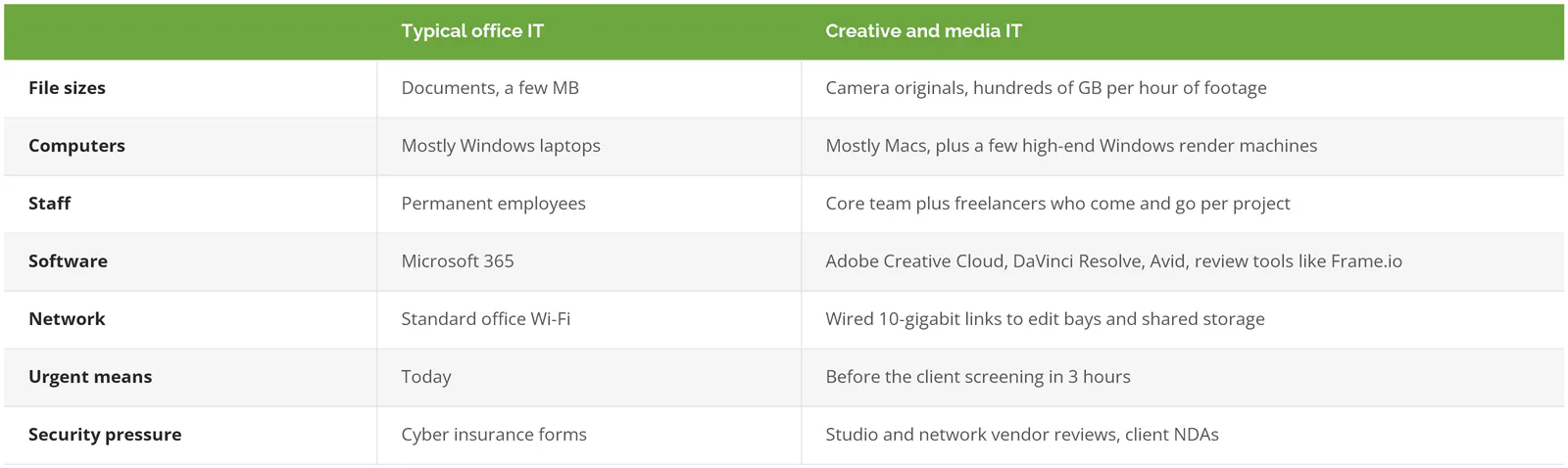
Office IT assumes small files, Windows laptops, permanent staff, and a server that can wait until Monday. Creative shops run on huge files, Macs, rotating freelancers, and deadlines measured in hours. Support built for the first group breaks on the second.
A typical small business sends spreadsheets around. A 12-person post house moves a terabyte before lunch. Different job. That one difference changes the network, the storage, the backups, and how fast a support ticket actually needs an answer.
A missed deadline costs you a project. A leaked trailer can cost you the studio relationship, and that one doesn't come back.
How much storage and bandwidth does a West LA production team actually need?
More than the sales rep thinks. Blackmagic's 6K RAW format at its common 5:1 setting fills about 698 GB per hour of recorded footage. A 2-camera, 3-day shoot can pass 16 TB before anyone makes a copy.
That 698 figure comes from The Post Flow's storage calculator, which lists Blackmagic RAW at 6K and 5:1 compression at 194 MB per second, or 698 GB an hour at 30 frames per second. Drop to 4K and a lighter 12:1 setting and it's about 126 GB an hour. Go 4K at 3:1 and you're back up near 490. Compression is a choice. Storage pays for it.
Run the math on a modest job. Two cameras, about 4 hours of recorded footage each per day, 3 shoot days, all at 6K 5:1. That's roughly 16.8 TB of camera originals. Now copy it twice, because you should, and you're past 50 TB for one project.
Ouch.
Three parts of the setup feel that weight first.
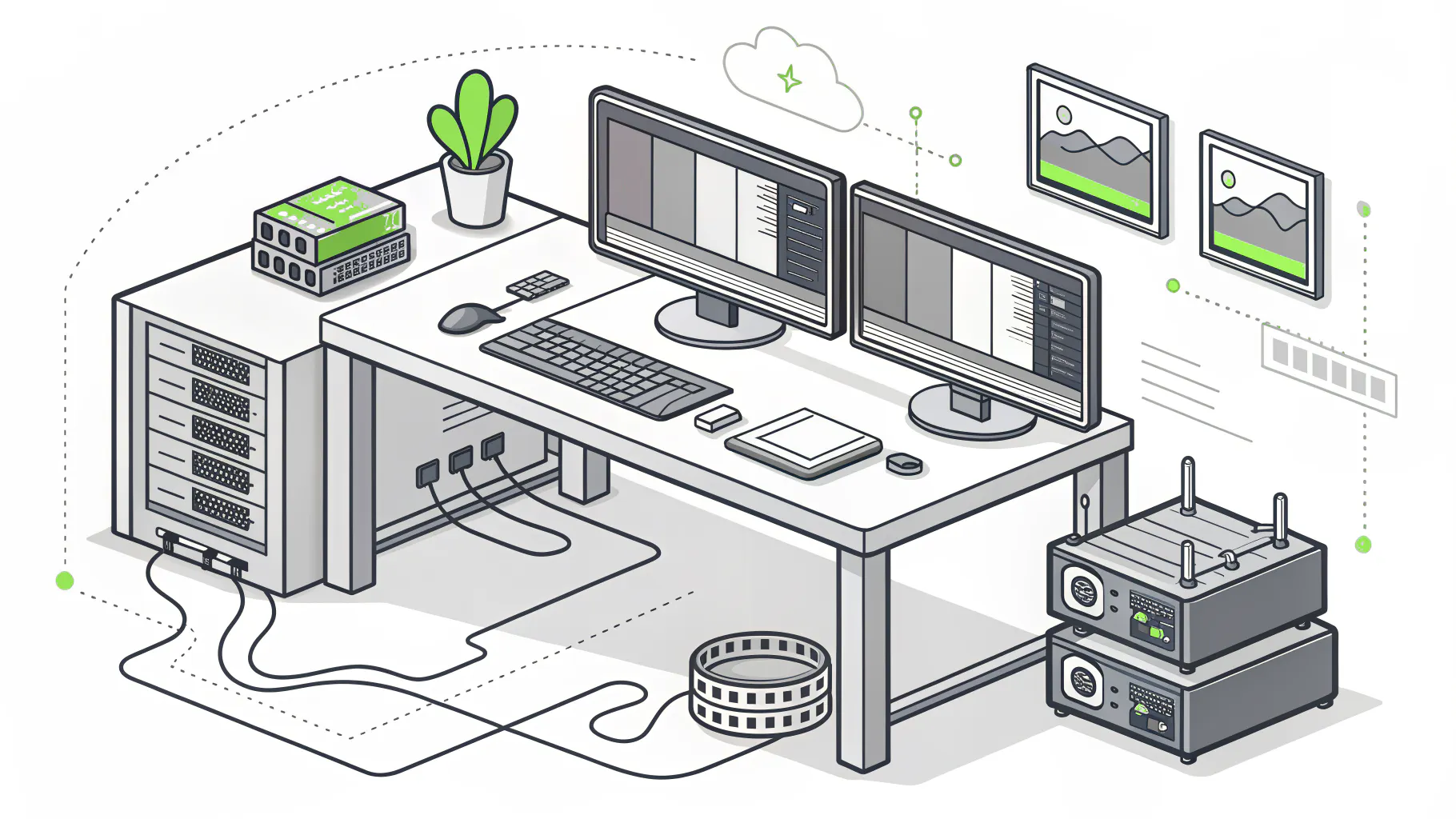
- Shared storage. Editors working off the same footage need a network storage system (a NAS, basically a box of drives everyone on the network can reach) sized for active projects plus headroom, not whatever was on sale.
- Wired speed to the edit bays. Standard office cabling tops out at 1 gigabit, which is fine for email and painful for 6K playback. Edit suites usually need 10-gigabit links from the workstation to the storage, and a switch that can handle it.
- Upload, not download. Internet plans advertise download speed. Creative teams live on upload, pushing dailies, review files, and final deliverables out to clients. A plan that's 1,000 down and 35 up will crawl every Friday night. That's why some studios move to a dedicated internet connection with matching upload and download speeds.
West LA adds its own wrinkle. Plenty of creative firms here sit in converted warehouses and shared creative office buildings around Culver City, Playa Vista, and Venice, where the building's internet options were picked by the landlord years ago. Ask what internet lines actually run into the building before you sign a lease, not after. Landlords don't edit video.
What does a backup plan look like when one project is 20 TB?
Dropbox isn't a backup. Neither is Google Drive, iCloud, or a sync tool that mirrors your storage. If ransomware encrypts the files on your NAS, a sync service will faithfully copy the encrypted versions everywhere else.
That's the core of CISA's guidance. The federal agency's #StopRansomware Guide tells businesses to keep offline, encrypted backups of critical data and to test them regularly, because ransomware is built to go looking for backups it can reach over the network. A backup the attacker can see is a backup the attacker can delete. Simple as that.
For a creative shop, that means splitting the problem in two. Active projects need fast local copies you can restore in an hour, plus an off-site copy that can't be overwritten. Finished projects need a cheaper archive tier, which might be cloud storage or LTO tape (the data cartridges studios have used for decades), with a written list of what's where. Nobody wants to discover in 2028 that the only copy of a client's 2026 campaign lived on a drive in someone's garage.
Then test it. Pick a finished project at random every quarter and restore it. Time it. If nobody can tell you how long a full restore of your largest active project takes, you're hoping, not planning.
Consilien's backup and disaster recovery work covers restore testing, not just storage. If you're still weighing cloud versus on-site, this breakdown of backup as a service (BaaS) versus traditional backup covers the tradeoffs.
Macs, Adobe, and the freelancer problem
Creative teams run on Macs. That alone filters out a chunk of IT providers, because managing Macs well takes different tools and different habits than managing a Windows office.
Usually it's Jamf or Microsoft Intune. Both are device management systems, the software that lets IT push settings, install apps, encrypt drives, and wipe a lost laptop from anywhere. Jamf is built only for Apple devices and handles patching third-party Mac apps natively. Intune manages Macs and Windows PCs from one console and comes with many Microsoft 365 plans, but it doesn't patch non-Microsoft apps without add-ons. A shop that's 90% Mac and lives in Adobe has a different answer than a hybrid agency with a Windows finance team. Ask your provider which one they'd pick for you and why. A one-word answer is a bad sign.
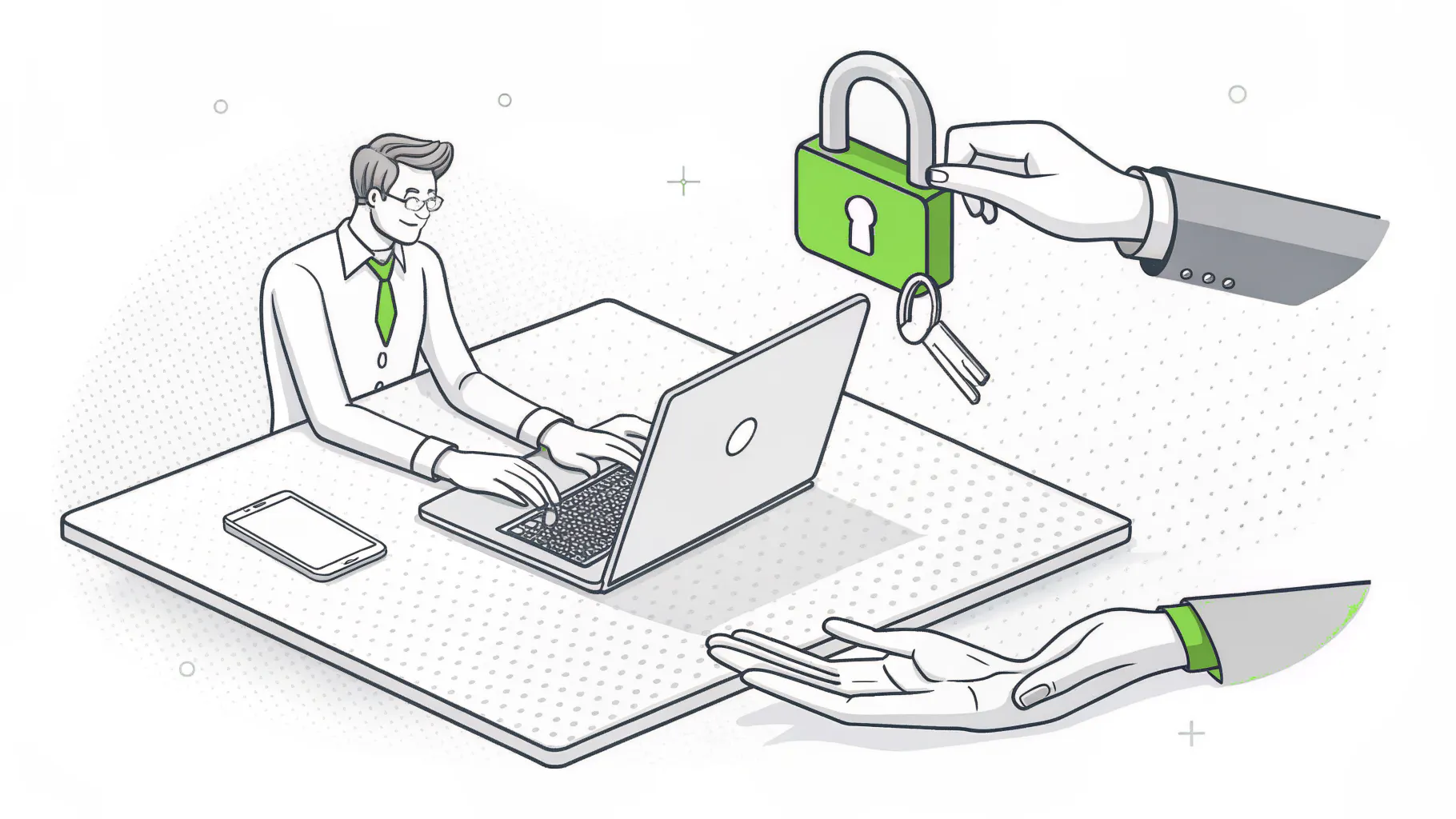
Freelancers are the bigger risk, honestly. A busy production company might cycle 20 or 30 outside editors, colorists, and motion designers through in a year, and each one gets access to something. Then they leave. The offboarding list that has to run on their last day:
- Remove their Adobe Creative Cloud seat and reassign it. Adobe's Admin Console lets you move a license to the next person without buying a new one.
- Kill access to Frame.io, LucidLink, Dropbox, Box, or whatever review and file-sharing tools the project used.
- Pull them from Slack or Teams channels, including the shared client channels people forget about.
- Change any shared passwords they saw. Yes, shared passwords still exist. Yes, they should go.
- If they used a company laptop or drive, get it back and wipe it.
- Write down that it was done, and when.
That last step matters. More than it looks. When a studio's security reviewer asks how you handle freelancer offboarding, "we're pretty good about it" isn't an answer.
Do studios and networks actually audit their vendors' IT?
Yes, if they touch unreleased content. Studios and streamers vet vendors who touch their content through the Trusted Partner Network, or TPN, a security program run by the Motion Picture Association. Post houses, VFX shops, and localization vendors working on major releases are often asked to show a TPN assessment.
TPN's assessments are built on the MPA's content security best practices, which added 37 controls for post-production remote work in March 2022. The program now grades vendors on Blue, Silver, Gold, and Gold Star tiers.
The more useful finding is what TPN learned from its own data. Its first industry study, released in April 2026, found that companies mostly had the right security policies written down, but day-to-day execution of technical controls was inconsistent, and that gap matched how real attacks got in. Policy says freelancer access gets removed. Practice says it got removed eventually. That gap is the risk.
It's getting worse, not better. By June 2026, TPN's security alerts had already passed double the total for all of 2025. In September, the program launched a free gap-analysis toolkit at IBC.
Not every creative shop needs TPN. A brand agency doing social campaigns for a beverage company probably never sees the questionnaire. A Culver City finishing house doing color on an unreleased series will. Either way, the underlying controls are the same ones that keep your own work safe. Patching, access control, encrypted laptops, and logs someone actually reads. Nothing exotic.
At Consilien, compliance work is a separate service from managed IT. Managed IT keeps the environment patched, monitored, and backed up the way a reviewer expects. Preparing for a formal assessment is its own project. For the security side of the house, see managed cybersecurity in Los Angeles.
Does it matter whether you're in Beverly Hills, Culver City, or Santa Monica?
Somewhat. The bigger split is the kind of creative work, not the zip code. But location shapes two things, the type of firm next door and how fast someone can physically get to you.
Beverly Hills skews toward talent agencies, management companies, and entertainment law, where the files are smaller but the confidentiality stakes are enormous. Contracts, deal terms, and client personal information are exactly what attackers sell. And they sell well. IBM's 2026 breach research puts the average US breach at $11.5 million and found only 37% of breached organizations encrypted sensitive data both in storage and while it was being sent. So managed IT for media companies in Beverly Hills has to lean hard on email security, device encryption, and access control.
Culver City and Playa Vista skew toward production, post, and media tech, where the problem is volume. Pure volume. Storage, network speed, and backup do the heavy lifting. Teams there should look for managed IT in Culver City that has worked with shared storage and edit suites before.
Santa Monica is a mix of agencies, startups, and streaming tech, often in shared office space with whatever network the building provides, which can mean your edit traffic, your client files, and the coworking lounge's guest Wi-Fi all run through the same equipment in the same closet. Managed IT in Santa Monica often starts with getting the firm off the building's network entirely.
And on-site time matters. The 405 on a weekday afternoon can turn a 7-mile drive into 45 minutes. If your provider's only technician is in Ontario, your NAS is on its own.
When you probably don't need a managed IT provider
Small shops are different. A 4-person design studio working entirely in Figma, Google Workspace, and Adobe's cloud, with no shared storage box and no studio clients, can usually get by with a good IT person on call and solid backups. Pay for what you need.
If you already have an in-house IT lead who knows Macs and storage cold, full outsourcing may be overkill too. Co-managed IT lets that person keep the creative-side work while an outside team covers monitoring, patching, security, and the 2 a.m. calls. Plenty of shops land there.
The case for managed IT gets strong once you hit three or four of these. Shared storage with active projects on it. More than a handful of freelancers a year. Studio or network clients who send security questionnaires. Nobody internal who owns IT as their actual job.
Questions that separate a good provider from a generic one
Bring these to the first meeting with anyone pitching IT for creative agencies in LA. You'll learn more from how they answer than from the proposal. Watch for hedging.
- How many Macs do you manage today, and with what tool?
- Have you sized or supported shared storage for video editing? What brand and how big?
- What's your process for removing a freelancer's access on their last day, and can I see it in writing?
- Where do our backups live, which copy can't be overwritten, and when did you last test a full restore?
- Who answers when an edit bay goes down at 8 p.m. the night before a delivery?
- Have you helped a client through a TPN assessment or a studio security questionnaire?
- How fast can someone be on-site in Culver City or Beverly Hills?
- What does our upload speed need to be, and what would you change about our internet?
A provider who's done this work will answer number 2 with specific hardware and number 5 with a name. Listen for both.
One entertainment management company in Los Angeles that works with Consilien put it plainly in a Clutch review. "They were very quick to respond and support." In a business where the deadline doesn't move, that's most of the job.
Consilien is a managed IT and cybersecurity provider headquartered in Torrance that serves businesses nationwide, with media and creative agencies among its core industries. If your storage is filling faster than your plan, or your freelancer list is longer than your access list, speak to an IT expert about what your shop actually needs.