Threat Intelligence Feeds: How to Choose and Actually Use Them
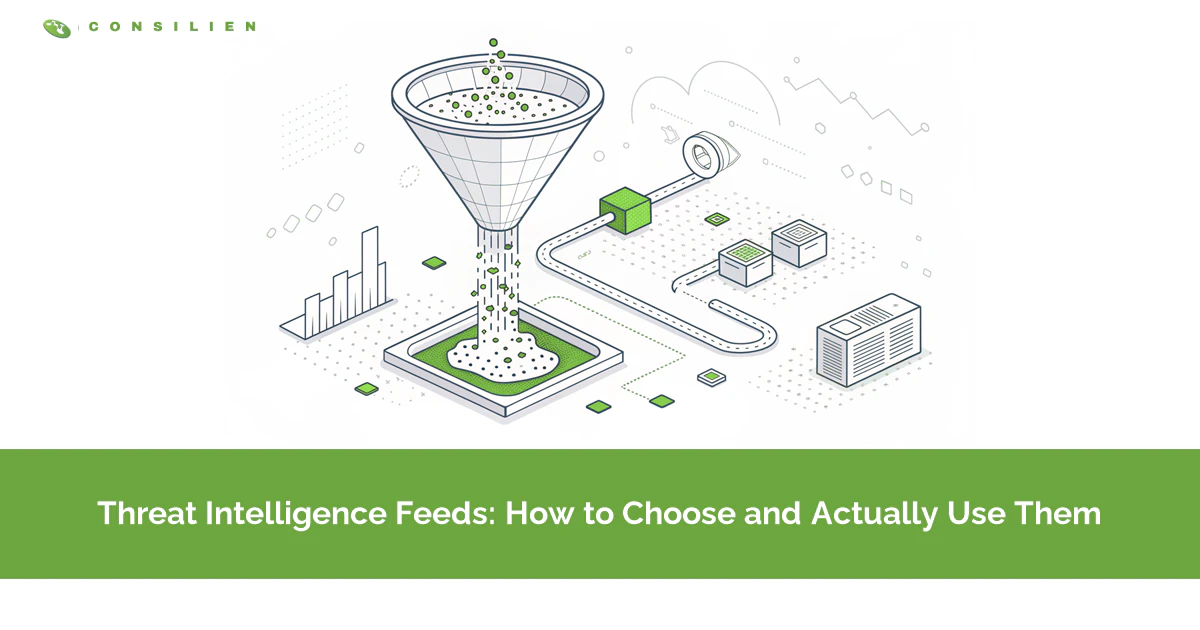
Choose threat intelligence feeds by testing them against your own logs for 30 days, not by counting indicators. A feed is a machine-readable stream of malicious IPs, domains, hashes, and exploited vulnerabilities your tools match automatically.
Table of Contents
Paid feeds barely overlap, and the indicators inside them go stale in days. If you run Microsoft Defender, you may already have one switched on. Check first. The feed worth keeping changes a decision inside your environment, lands in a tool that can act on it, and expires before it starts blocking legitimate vendors your team depends on. Whether that tuning sits with your IT team or with your managed cybersecurity services provider, the 30-day test works the same way.
Two leading commercial cyber threat intelligence vendors both claimed to track the same 22 threat actors. When researchers compared what each vendor actually delivered on those groups, the average overlap between the two feeds was 2.5% to 4.0%. Almost nothing. The few indicators that did match turned up in the second vendor's feed roughly a month later. That finding comes from a 2020 USENIX Security study led by TU Delft researchers, the first empirical look at what paid intelligence contains.
What were buyers paying for?
The Delft team asked 14. Coverage wasn't the answer. Those security teams were buying back analyst time, meaning fewer dead-end alerts and faster context on the ones worth opening, because analyst hours were the one resource they could never get enough of.
Treat a feed as a filter, not a map of the internet. Does it filter well for a company built like yours? That's the question. If you want the groundwork on what threat intelligence is and its four types, start there.
What's Actually Inside a Threat Intelligence Feed?
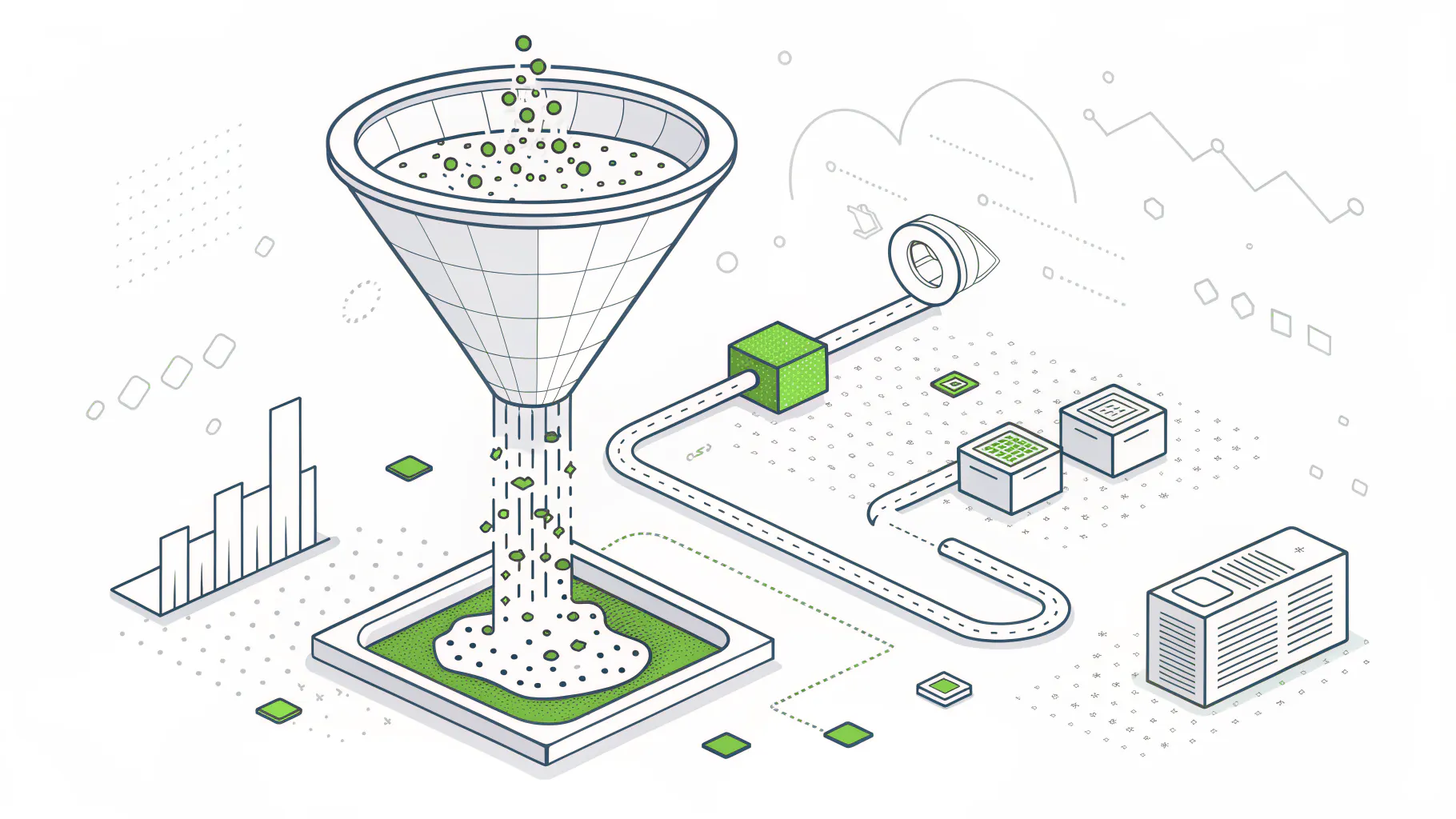
A threat intelligence feed carries one of three things. Indicators, like malicious IP addresses, domains, and file hashes. Vulnerability data, like CISA's list of exploited flaws. Or reports on how attackers operate. Each belongs somewhere different.
Indicators get the most attention. Security people call them indicators of compromise, or IOCs, which are the fingerprints an attack leaves behind, like the address of a server that controls infected machines or the unique hash of a malware file. NIST Special Publication 800-150, the federal guide to sharing this kind of data, treats indicators as one slice of threat information, alongside attacker tactics, security alerts, and tool configurations.
Format decides what can read it. A plain-text blocklist, one IP address per line, is what a firewall wants, while CSV and JSON files suit the scripts and endpoint tools that need a little more structure around each entry. Larger sources publish in STIX, a standard language for describing threats with context attached, and deliver it over TAXII, the protocol security tools use to subscribe to STIX collections the way a podcast app subscribes to a show. You only need STIX and TAXII if you run a SIEM, the platform that gathers logs from across your environment and correlates them, or a threat intelligence platform. Not everyone does.
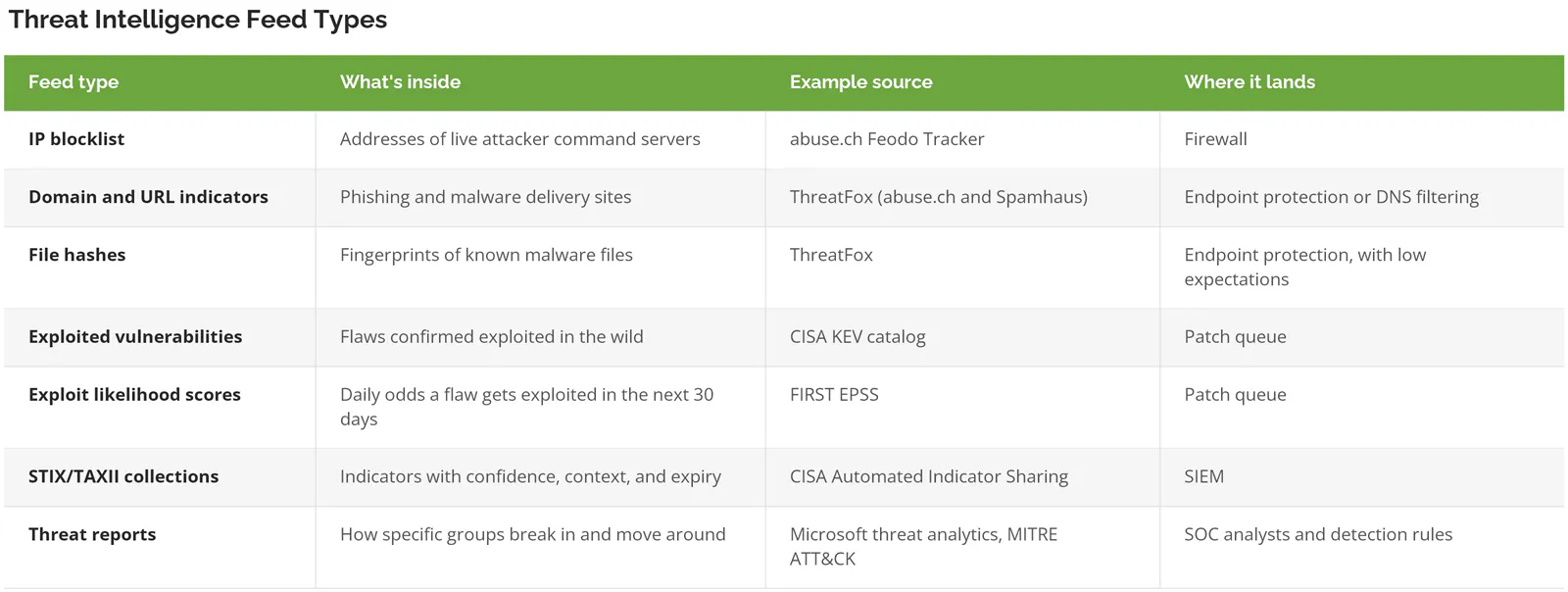
Seven rows, five destinations. A feed bought without knowing its row usually ends up in none of them.
Why Do So Many Threat Intel Feeds Catch Almost Nothing?
The cheapest indicators to share are also the cheapest for attackers to change. A file hash or IP address can be swapped with almost no effort, and a typical Cobalt Strike attack server stays online about 5 days.
Security researcher David Bianco drew this as the Pyramid of Pain back in 2013. File hashes sit at the bottom, then IP addresses, then domain names. Higher up are the artifacts an attack leaves on a network or a machine, then the attacker's tools, and at the very top their tactics, techniques, and procedures, meaning the habits they'd have to relearn to get past you. The IETF formalized the idea in 2023. RFC 9424 states that "the less painful it is for the attacker to change an IoC, the more fragile that IoC is as a defence tool."
Indicator feeds live at the bottom of that pyramid. Hashes and IPs are easy to collect, easy to share, and easy to load into a firewall, which is exactly why attackers treat them as disposable. Burn one, spin up another.
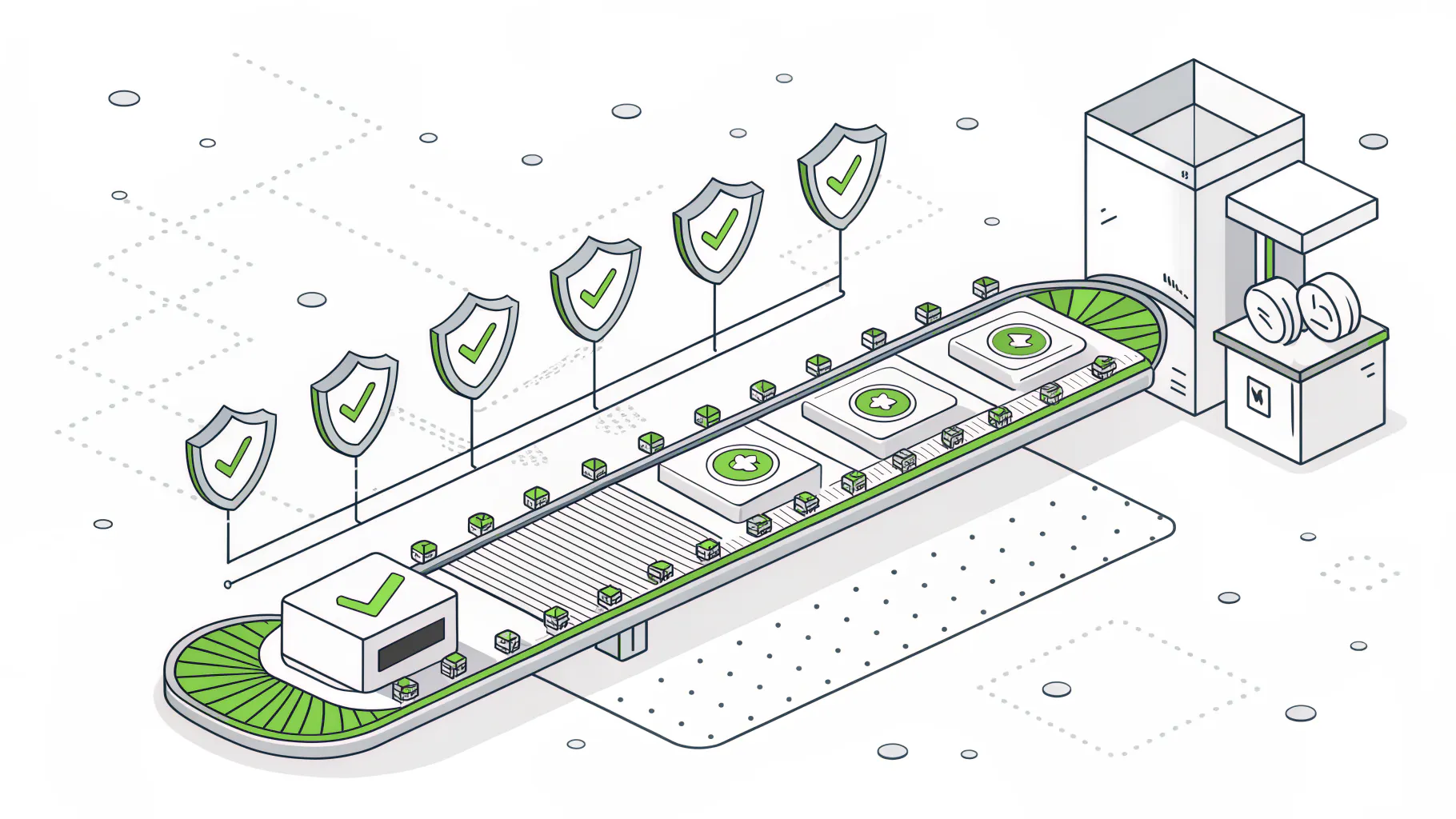
Censys measured command servers built on Cobalt Strike, a penetration-testing toolkit that criminal groups also run, and found a median lifespan of 5.0 days, with an average of 11.2. The Delft study found overlapping indicators reached the second paid vendor about a month late. Do the math. If an indicator reaches you a month after the first vendor spotted it, the median server behind it went dark more than 3 weeks earlier.
Stale blocks don't just miss. They misfire. Cloud providers hand released IP addresses to new customers, so an address that hosted malware in June can be serving a payroll provider's login page by August. The block is still there. Now it's stopping payroll.
Set the Expiry Date Before You Set the Block
Per RFC 9424, "IoCs should be removed from detection at the end of their life to reduce the likelihood of false positives." How long that life runs depends on the indicator type. Erik Hjelmvik at Netresec, drawing on published studies of attacker infrastructure, recommends watching IP addresses for a couple of weeks after they were last confirmed malicious, and domain names for slightly longer.
Your tools already support this. Microsoft Defender for Endpoint lets you set how long each custom indicator stays active. Microsoft Sentinel's ingestion rules can drop intelligence before it reaches your workspace, and Microsoft's own example filters out low-confidence items nobody has updated in 6 months.
Nobody gets blamed for leaving a block in place. That's why blocklists only grow.
Do You Already Own a Threat Intelligence Feed?
Quite possibly. If you run Microsoft Defender, check what's already switched on before you sign anything.
On August 1, 2026, Microsoft retired its standalone threat intelligence portal and moved everything into the Defender portal. According to Microsoft's documentation, public Microsoft Threat Intelligence data, including reputation and attack details attached to IP addresses, domains, URLs, and files, is available to all Microsoft Defender XDR customers at no extra cost. Its threat analytics reports go a step further and show whether a tracked campaign is active in your own network. Access requires a license for at least one Microsoft Defender product. Defender for Endpoint Plan 1 on its own doesn't qualify.
Microsoft isn't alone. Endpoint detection tools ship with their vendor's intelligence built in, and a managed detection and response provider runs its own feeds behind every alert it sends you, whether or not those feeds ever show up on the invoice. It's easy to end up paying for the same intelligence twice. Sometimes three times.
Hold off on a separate feed if any of these sound familiar:
- You already pay for MDR. Ask what it ingests first.
- Nobody has opened Defender's threat analytics page this quarter, so the intelligence you already have isn't being read either.
- No one can name who'd act on a match by Friday.
How Do You Choose a Threat Intelligence Feed? Run a 30-Day Test
Run the feed in audit mode for 30 days against your own firewall, DNS (website lookup), and endpoint logs. Count real matches, false alarms, and indicators you didn't already have. Keep it only if it changed a decision.
Audit mode means the tool records a match without blocking anything. Defender for Endpoint offers it as an action on every indicator type except certificates, and a firewall gets the same effect from a log-only rule that records each hit and lets the traffic through. Nothing breaks. You just watch what the feed would have done.
Buyers in the Delft study mostly skipped this step and judged intelligence "mostly through informal processes and heuristics," not measurements. Gut feel, with a purchase order. A 2019 study led by UC San Diego researchers showed feeds can be compared on hard numbers instead, and the scorecard below turns that idea into something an IT manager can run without a research budget.
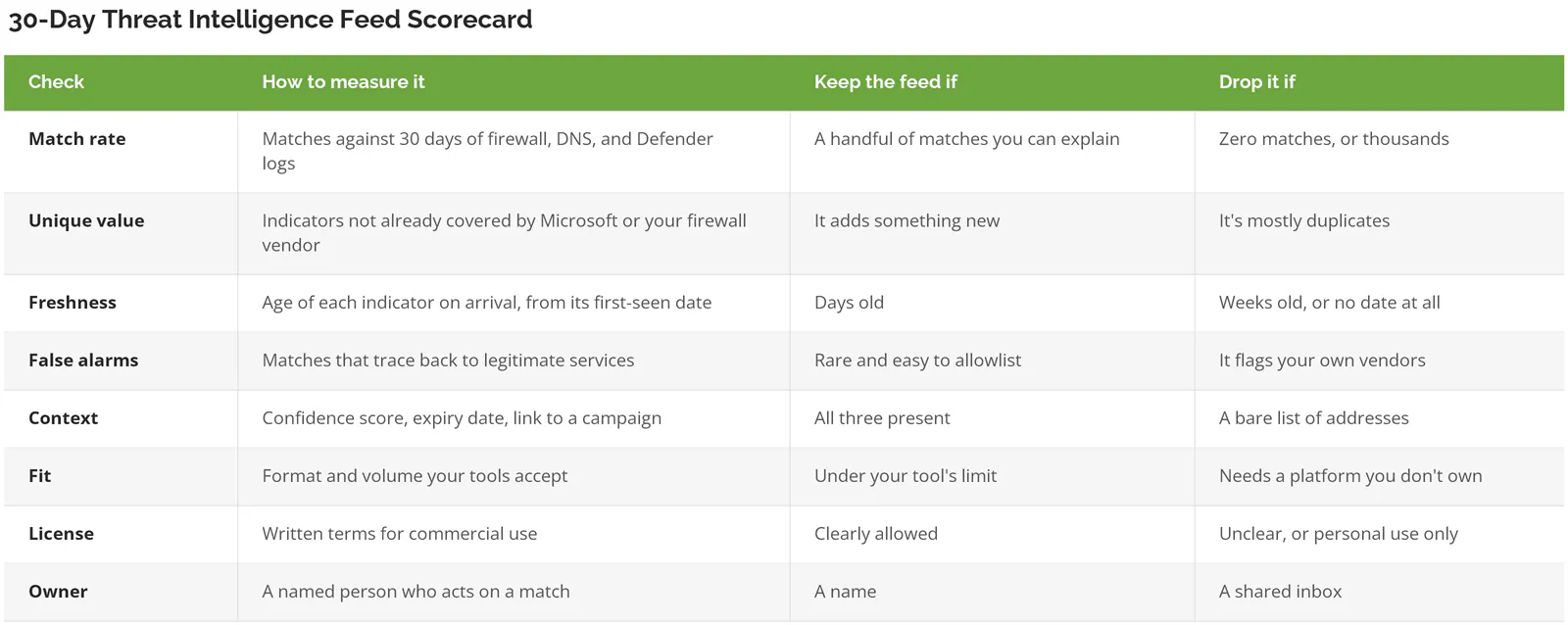
Fit gets skipped. Defender for Endpoint allows 15,000 custom indicators per tenant, and Microsoft doesn't raise that limit. A WatchGuard Firebox holds up to 250,000 IP addresses on its static blocked sites list. A community feed publishing 50,000 IPs a week won't fit in Defender at all, and it fills the WatchGuard list in 5 weeks if nothing expires.
Picture a 300-person distributor that switches on three free IP feeds on a Monday, straight to block. By Wednesday the firewall is stopping a freight carrier's tracking portal on a recycled cloud address, and someone disables all three feeds so trucks can leave the dock. Nobody turns them back on. Thirty days in audit mode would have surfaced that address before it cost a shipment.
Where Should Each Threat Intel Feed Go?
Route each feed to the one tool that can act on it. IP blocklists go to the firewall, domains and URLs to endpoint protection, structured collections to your SIEM, and exploited-vulnerability data straight to whoever patches.
Firewalls get IP blocklists, and only curated ones. The Feodo Tracker project at abuse.ch regenerates its botnet command-server list every 5 minutes, recommends pulling it at least every 15, and releases it under CC0, so commercial use is fine. It also publishes an aggressive version, and its own site warns that one "definitely will cause false positives." Take the recommended list.
Domains and URLs go to endpoint protection, where Defender for Endpoint can warn or block per device group, with an expiry on each entry. Hashes are the weak spot. Microsoft itself advises against blocking applications by hash, because every new version of a program carries a different hash, and it points customers to application control tools instead. A hash feed is fine for audit alerts. Don't block on it.
Structured STIX collections go to the SIEM. Microsoft Sentinel's TAXII connector pulls STIX 2.0 and 2.1 feeds and ships with rule templates that match indicators against your logs. CISA's Automated Indicator Sharing program is free, open to private companies, and needs a TAXII 2.1 client. Still weighing a SIEM at all? Start with how a SIEM works.
Vulnerability feeds belong with whoever patches, not whoever watches alerts. CISA's Known Exploited Vulnerabilities catalog held 1,709 flaws as of September 11, 2026, every one confirmed exploited. FIRST's EPSS scores estimate, daily, the probability that a flaw gets exploited in the next 30 days. KEV says it's already happening. EPSS says it's likely soon. Used together, they give a patch backlog an order that severity ratings alone don't, and they belong inside your vulnerability management routine rather than a security inbox.
Written reports go to people. That's the top of the pyramid, the intelligence that lasts longest, and it's only useful to an analyst who can turn a technique described in MITRE ATT&CK terms into a detection rule. For a company with 20 to 1000 users, that analyst usually sits in a 24/7 security operations center (SOC), in-house or outsourced.
Which Threat Intelligence Feeds Fit a Company With 20 to 1000 Users?
Start with what you already own and free government data. Add one curated paid source only once someone is tuning detections every day, because that's when an analyst's hours become the bottleneck a paid feed is built to relieve.
A Microsoft 365 Shop With No SIEM
Nothing to buy yet. Open Defender's threat analytics, confirm your license covers it, and route CISA KEV and EPSS scores into the same queue your team already uses for monthly patching instead of a new spreadsheet. That's a working intelligence program at zero added cost.
The Firewall Does Most of the Work
One curated IP list, like Feodo Tracker's recommended version, in log-only mode for 30 days. Set expiry. Then block.
A SIEM and One Internal Analyst
Here's where paying starts to make sense. Add CISA AIS for free, run one commercial source through the 30-day scorecard, and judge it by the hours it saves your analyst each week rather than the indicator count on the datasheet. The Delft interviews point the same way. Buyers valued workflow over coverage, and at this size workflow is the real constraint.
An Outsourced SOC or MDR Service
Skip the extra feed. Your provider should already be running its own, and a second copy of the same indicators just produces duplicate alerts for the same event, with two invoices attached and nobody sure which one fired first. Ask the questions in the next section instead, and if you're still comparing providers, choosing an MDR provider covers the rest of the evaluation.
Run a dedicated threat intelligence team with its own platform? Then you're past everything on this page.
How Do You Know Your Provider's Feeds Are Doing Anything?
Ask three questions. Listen for numbers.
- What expiry do you apply to IP and domain indicators, and who decided it?
- Which feed did you switch off in the last 12 months, and why? A provider that has never dropped a feed has probably never measured one.
- How many custom indicators sit in our Defender tenant right now, against the 15,000 limit?
Specific answers take a minute. A long pause tells you just as much.