Why Manufacturing Downtime Is Usually an IT Failure
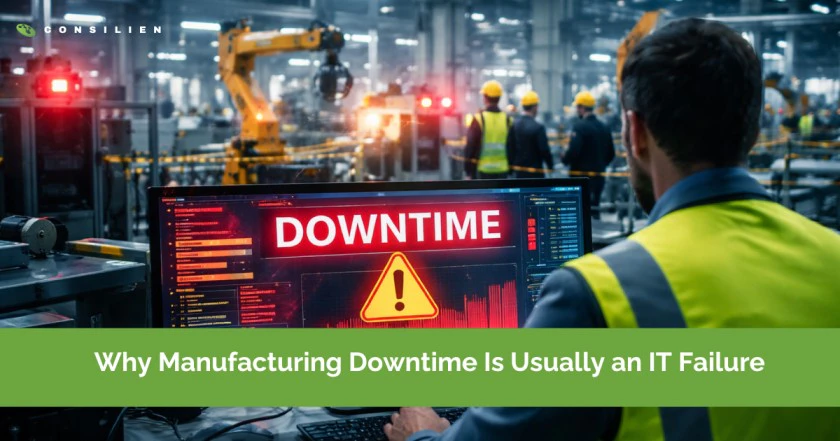
Manufacturing downtime rarely starts with a broken machine anymore.
Table of Contents
Most production lines today are technically ready to run. The equipment works. The operators are there. Maintenance has done its job.
And yet, the line is down.
What stopped it usually isn’t mechanical. It’s IT.
Networks fail. Systems can’t talk to each other. Logins break. A server stalls. A “small” IT issue quietly takes production with it. This is why manufacturing downtime is increasingly an IT failure, even when it doesn’t look like one at first.
A CEO lens on downtime:
At Consilien, we see the same pattern across manufacturing environments. When a line goes down, leadership looks to the machine first. But in most incidents we’re brought into, the equipment is fine. The failure is upstream in IT: identity, networking, or the systems that feed instructions and data. Until leadership treats IT as production infrastructure, downtime keeps repeating.
Manufacturing downtime has changed
For decades, downtime meant mechanical failure. A motor burned out. A part wore down. Maintenance stepped in and fixed it.
That model doesn’t match modern manufacturing anymore.
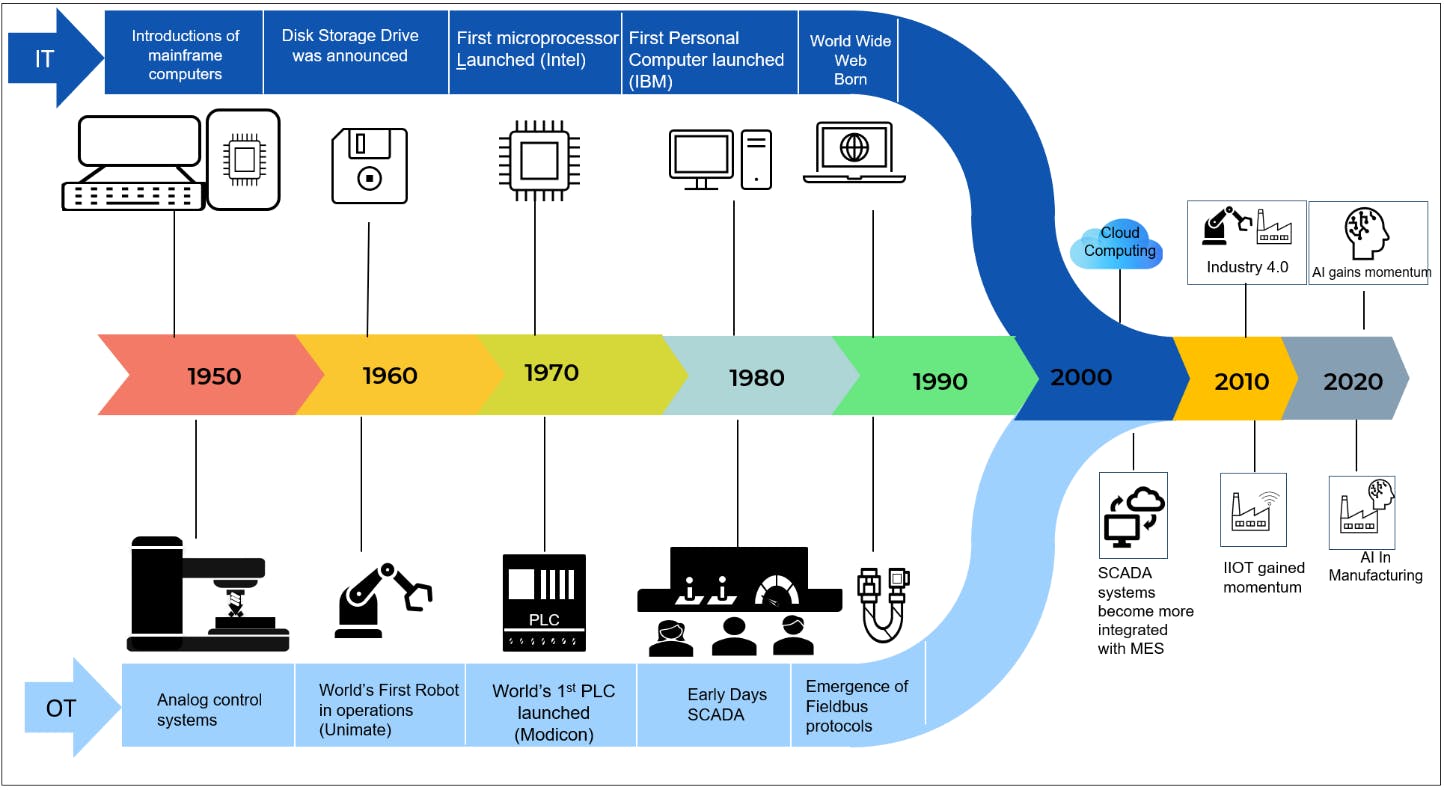
Today, production depends on layers of IT that sit between people and machines. When any of those layers fail, the line stops instantly.
From machines to systems
Most manufacturing environments now rely on:
- Manufacturing execution systems
- ERP platforms
- Shop floor networks and Wi-Fi
- Centralized identity and access
- Virtual servers and shared storage
- Cloud services and remote access
Even if a machine is physically ready, it often can’t run without these systems being available.
IT is now on the critical path to production
- If operators can’t log in, production stops.
- If MES can’t sync, production stops.
- If the network drops packets, production slows or stops.
This is why manufacturing downtime and IT are inseparable. IT isn’t a support function anymore. It’s part of the production line.
The IT failure chain that actually stops production
Most downtime incidents follow a predictable pattern. They’re not random, and they’re not mysterious. They’re part of an IT failure chain.
Network failures: the silent killer
Networks are one of the most common root causes of manufacturing downtime.
Typical issues include:
- Single switches with no redundancy
- Flat networks where one issue cascades everywhere
- Aging shop floor hardware
- Unstable Wi-Fi for scanners, tablets, and HMIs
When the network stutters, machines don’t always stop gracefully. They hang, error out, or wait for data that never arrives.
Why the same downtime comes back
One of the biggest leadership mistakes is fixing the symptom instead of the system. A switch gets rebooted. A firewall gets reset. Production restarts. Everyone moves on. But the architecture that allowed that single failure to stop the line stays in place. If IT isn’t designed like a production asset, the outage will happen again. Just at a worse time.
Identity and access breakdowns
Modern plants depend on centralized identity more than most leaders realize.
Common failure points:
- Directory services outages
- Expired certificates
- MFA misconfigurations
- Authentication delays during peak shifts
When operators can’t authenticate, production doesn’t start. From the floor, it looks like “the system is down.” Underneath, it’s an IT access failure.
MES and ERP dependencies
MES and ERP systems sit at the center of modern manufacturing.
Downtime occurs when:
- MES can’t communicate with machines
- ERP latency delays production orders
- Cloud-hosted systems lose connectivity
- Integrations fail silently
These aren’t rare edge cases. They’re everyday risks in environments where IT architecture hasn’t kept up with operational demands.
Server, storage, and virtualization issues
Many plants run production-critical workloads on shared virtual infrastructure.
That introduces risks like:
- Host failures affecting multiple systems at once
- Storage latency slowing real-time operations
- Backups that look good on paper but fail in practice
A minor infrastructure issue can quickly turn into hours of lost production.
Cybersecurity events that cause downtime
Sometimes downtime is intentional.
Suspicious activity triggers shutdowns. Ransomware spreads. Security tools block legitimate traffic. In some cases, controls meant to protect the business interrupt production instead.
Cybersecurity incidents don’t just threaten data. They threaten uptime.
Why IT caused downtime is so hard to diagnose
Even when IT is clearly involved, it often doesn’t get addressed properly.
IT and OT ownership is fragmented
Operations teams see machines. IT teams see systems. Vendors see only their product.
Downtime is an ownership problem: Manufacturers would never tolerate unclear ownership on the shop floor. But in IT, it’s common. When downtime happens, accountability gets split and the root cause gets blurred. The manufacturers with the lowest downtime set one uptime goal and one incident process that both IT and operations follow.
Restart pressure hides the root cause
Once production is running again, attention shifts to catching up.
Logs don’t get reviewed. Failure patterns don’t get documented. The same issue resurfaces weeks later.
General IT support isn’t built for production
Many IT teams and providers are optimized for office environments, not production floors.
That leads to:
- Changes during live shifts
- Patches without production context
- Maintenance windows that ignore throughput
Downtime becomes expected instead of preventable.
What we see most often in IT caused manufacturing downtime
Across mid-market manufacturing, the same issues appear again and again:
- A single firewall, switch, or ISP circuit that no one planned to lose
- MES or ERP slowdowns that only show up under full shift load
- Identity systems that break logins plant wide during updates
- Virtual environments where one host issue stops multiple production apps
- Security controls added quickly without testing shop floor impact
None of these are rare. And that’s good news. Common problems are easier to prevent.
A simple executive test: is your downtime really an IT problem?
Ask yourself:
- Can production run if the network goes down?
- Can operators work if identity services are unavailable?
- Can machines continue safely if MES or ERP is unreachable?
- Is there a single IT component that can stop the plant?
- Have backups been tested in the last 90 days?
If you answered “no” or “not sure” to more than a few, manufacturing downtime in your environment is likely an IT issue waiting to happen.
How to reduce manufacturing downtime by fixing IT first
Reducing downtime doesn’t start with buying new machines. It starts with engineering IT the same way you engineer production.
Design IT for production, not convenience
Production systems need:
- Redundancy where downtime is unacceptable
- Segmentation that limits blast radius
- Local survivability when cloud or WAN links fail
Office-grade design doesn’t cut it on the shop floor.
Align IT changes with production schedules
Every IT change is a production risk if it isn’t coordinated.
That means:
- No surprise updates
- Controlled patching
- Maintenance windows aligned with operations
Monitor what actually stops the line
Basic uptime monitoring isn’t enough.
You need visibility into:
- Authentication failures
- Network latency and jitter
- MES and ERP performance from the floor’s perspective
If you can’t see it, you can’t prevent it.
Treat cybersecurity as an uptime issue
Security should protect production, not interrupt it.
That requires:
- Tested incident response plans
- Security tools tuned for manufacturing realities
- Clear decision-making when risk and uptime collide
How executives should think about ROI
Don’t evaluate IT investments like office upgrades. Evaluate them like production investments. If one hour of downtime costs more than the fix, the business case is already made.
Final thought from leadership
Here’s the shift that changes everything.
Stop asking, “Why did the line stop?”
Start asking, “What IT dependency was allowed to become a single point of failure?”
That question leads to better architecture, better change management, and fewer surprises.
Manufacturing downtime isn’t random. It’s predictable.
Takeaway
If your production line depends on IT, and it does, downtime is not a surprise. It’s a design issue.
Consilien helps manufacturers identify where IT can silently stop production and fix it before it turns into lost revenue, missed orders, or safety risk.
Frequently asked questions about manufacturing downtime and IT
Why is manufacturing downtime often caused by IT?
Modern manufacturing relies on networks, MES, ERP, identity systems, and servers to run production. When any of these fail, machines may be physically ready but unable to operate. That’s why manufacturing downtime is often an IT failure, even when it looks like an operational issue on the floor.
What are the most common IT related causes of manufacturing downtime?
The most frequent causes are network outages, problems with user identification and login, loss of connection to MES or ERP, issues with virtualization or storage, and security breaches. Such issues usually have a domino effect. They stop production in various areas simultaneously, thus, making the factory standstill.
How does IT downtime affect production differently than machine failure?
Machine failures are usually isolated and visible. IT downtime often affects multiple lines simultaneously and can be harder to diagnose. It also tends to last longer because teams must coordinate across IT, operations, and vendors to restore service.
How can manufacturers reduce IT-related downtime?
Reducing IT-related downtime starts with designing IT systems for production, not office convenience. This includes redundancy, segmentation, coordinated change management, production-aware monitoring, and tested incident response plans.
Who should own manufacturing uptime: IT or operations?
Uptime is a shared responsibility. Operations understands production impact, while IT controls the systems that enable it. Manufacturers with the lowest downtime align IT and OT under shared uptime goals and accountability.
How can cybersecurity tools contribute to manufacturing downtime?
Security tools may lead to downtime in situations where they obstruct legitimate traffic, interfere with authentication, or cause a shutdown in response to a presumed incident. Manufacturing cybersecurity that is efficient not only ensures the protection of the system but also takes into account the continuity of operations and is verified in actual production environments.